 DriveCircle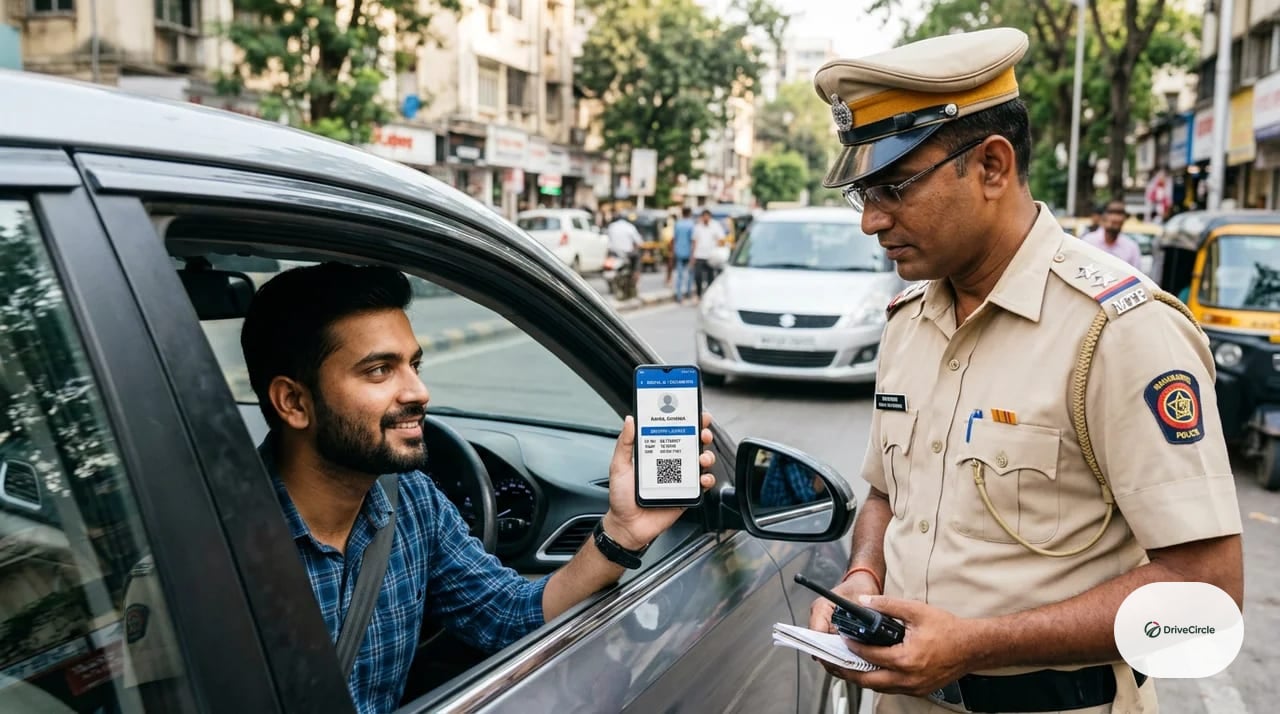
You get pulled over. The traffic officer asks for your RC and driving licence. You don't have the physical cards on you — but you have DigiLocker and mParivahan on your phone. Are those good enough, or are you about to get fined for "not carrying documents"?
The short answer: yes, they can be legally valid — but not automatically, and not any way you show them. There's a real difference between an officially issued electronic record and a photo of your licence sitting in your phone's gallery, and that difference is exactly what decides whether you're covered.
This isn't old, settled ground either. On 4 August 2026, Digi Yatra — India's airport digital-identity platform — added the DigiLocker-based driving licence as a verified identity credential for air travel, alongside Aadhaar. That's a live sign of how far digital-DL trust has actually spread: from a 2018 traffic-enforcement advisory to now being accepted for airport identity checks. The rules on the road, though, are still the original ones — and they're worth getting exactly right.
Quick answer: are digital RC and DL valid in India?
Yes. The Ministry of Road Transport and Highways has advised states and traffic enforcement to accept RC and driving licence records produced through DigiLocker and mParivahan as valid alternatives to carrying the physical card, in line with the IT Act's recognition of electronic records.
But this validity is specifically about issued, verifiable electronic documents — not any digital copy you happen to have. That distinction matters more than most drivers realise, and it's where most of the confusion (and most of the roadside arguments) comes from.
Issued document versus your own uploaded scan
This is the single most important thing to understand, and it's rarely explained clearly.
An issued DigiLocker document is pulled directly from the government's own records — RTO databases, licence-issuing authorities — and carries verifiable metadata (issuer, issue date, a digital signature or QR code) that a traffic officer's own device can check. This is what the MoRTH advisory actually covers.
A manually uploaded scan or photo — say, a picture of your licence you saved to your phone, or a PDF you scanned yourself and dropped into a generic file storage app — is not the same thing. It doesn't carry that verification chain, and it is not what the advisory treats as an accepted electronic record.
The practical test: if the document opens through DigiLocker's own "Issued Documents" section, or through mParivahan's virtual RC/DL feature pulling live from the vehicle/licence database, it's the real thing. If it's just an image sitting in your gallery or a random app, it isn't — and an officer would be within reason to ask for something better. MoRTH's own advisory is explicit on this point: photos, scans or screenshots kept separately on your phone are not treated as accepted electronic documents, specifically because they can't be verified against the live government record the way an issued DigiLocker or mParivahan document can.
mParivahan virtual RC/DL versus a gallery screenshot
Same principle, different app. mParivahan's virtual RC and virtual DL features generate a document view pulled live from the Parivahan database — not a static image you took once and kept. A screenshot of that view, taken today, might already be showing outdated information tomorrow if something on your record changed. The live-pulled version is what's meant to be shown; an old screenshot is a snapshot that can silently go stale.
This is also why simply forwarding a screenshot to someone else isn't a substitute for having the actual document accessible on your own phone — it strips away the ability to re-verify against the live record.
What happens when the document is expired?
A digital format does not change the underlying validity of what it's showing. If your driving licence has expired, or your RC's fitness certificate has lapsed, or your licence has been suspended or cancelled, DigiLocker and mParivahan will show exactly that — because they're pulling real, current data, not a static "valid" stamp frozen at some earlier date.
In other words: going digital doesn't extend anything, and it doesn't hide anything either. An expired document is an expired document, whether it's in your wallet or on your phone.
Insurance and PUC — what's actually visible in connected databases
RC and driving licence aren't the only things drivers ask about. Insurance validity and PUC (Pollution Under Control) certificate status are increasingly visible through the same connected government databases, since insurers and PUC testing centres report this data centrally.
One specific carve-out worth knowing: MoRTH's advisory on electronic RC/DL acceptance explicitly does not extend the same treatment to insurance — it calls out that a hard copy of your insurance document may still be required, separate from the RC/DL digital-acceptance provision. Don't assume DigiLocker or mParivahan alone covers you on the insurance front; keep a physical or clearly accessible digital copy of your actual policy document (most insurers now issue a PDF you can save) rather than relying on the same reasoning that applies to RC/DL.
Offline access: don't get caught with a dead battery
The one real practical risk with going fully digital is obvious once you think about it: a dead phone battery, no signal, or a crashed app doesn't care that your documents are technically valid — if you can't open them, you can't show them.
A few habits that actually help:
- Download and save the DigiLocker/mParivahan documents for offline viewing where the app supports it, rather than relying on always having a live connection.
- Keep your phone reasonably charged before a long drive, and carry a basic power bank on road trips.
- Know your DigiLocker/mParivahan login well enough that a locked or restarted phone doesn't leave you stuck at a checkpoint.
Carrying a physical backup copy isn't universally mandatory if you have a working accepted electronic record — but for remote travel, especially where connectivity is unreliable, it remains a genuinely practical precaution, not paranoia.
Electronic impounding and e-challan records
Enforcement itself has gone digital in parallel. Many states now use e-challan systems where a traffic violation is logged electronically against your vehicle/licence record rather than (or alongside) physically confiscating a document. The exact workflow — whether an officer scans your QR-coded digital document, looks you up by registration number, or issues a challan through a handheld device — can differ by state and even by local enforcement setup, since implementation isn't uniform across India.
What stays constant: digital records don't reduce your obligation to comply with a lawful check. If an officer asks to verify your details, cooperate — arguing that "it's all digital now so you can't ask me anything" isn't a real defence and will only make an ordinary stop worse.
Correcting inaccurate RC, licence or insurance data
Sometimes the digital record itself is wrong — a name misspelled at registration, an old address, insurance details that didn't sync correctly. This does happen, and it's worth fixing rather than living with, since an officer cross-checking a mismatched digital record against your physical ID can turn a routine stop into a longer one.
Corrections typically route back through the original issuing source — your RTO for RC/licence detail errors, your insurer for policy data — rather than being something DigiLocker or mParivahan can fix directly, since both are display layers pulling from those systems, not the systems of record themselves.
Showing a document without handing over your unlocked phone
A reasonable, common concern: showing your digital RC or DL means unlocking your phone in front of a stranger, and nobody wants to hand over an unlocked device with their banking apps, messages and everything else on it.
You don't have to. Open the specific document yourself, hold the phone so the officer can see and verify the screen (including any QR code, if that's part of the verification), and keep physical control of the device the entire time. There's no requirement to place your unlocked phone in someone else's hands to show a document — verification works by the officer viewing and checking, not by taking possession of your phone.
DriveCircle verdict
DigiLocker and mParivahan digital RC and driving licence are genuinely, officially valid in India — but specifically as issued electronic records pulled from government databases, not as any digital copy you happen to have on your phone. Know the difference, keep your documents downloaded for offline access where possible, keep your phone charged on long drives, and never assume "it's digital" means an expired or incorrect document magically becomes fine.
For most everyday driving in cities with reliable connectivity, a properly set-up DigiLocker or mParivahan is genuinely enough — no need to also carry the physical cards everywhere. For longer trips into low-connectivity areas, a physical backup remains a sensible, low-effort precaution.
FAQ
Is a DigiLocker driving licence valid with traffic police in India?
Yes. MoRTH has advised that electronic RC and driving licence records issued through DigiLocker and mParivahan be accepted as valid, in line with the IT Act's recognition of electronic documents.
Do I need to carry the original RC or DL if I have DigiLocker?
Not necessarily, if you have the properly issued electronic version accessible. However, keeping a physical backup is a sensible precaution for remote travel or unreliable connectivity, even if not strictly mandatory.
Is a screenshot of my RC legally valid?
A screenshot or gallery photo does not carry the same verification as an issued DigiLocker document or a live mParivahan virtual RC/DL pull. It may not be treated as equivalent, and it can go stale if your underlying record changes after the screenshot was taken.
What's the difference between a DigiLocker-issued document and an uploaded document?
An issued document comes directly from the government record with verifiable metadata. An uploaded document is something you added yourself (a scan or photo) and does not carry that same official verification chain.
Can traffic police reject my mParivahan RC?
A properly functioning, correctly displayed mParivahan virtual RC pulling live data should be accepted per MoRTH's advisory. Practical issues (app not loading, outdated screenshot, expired underlying document) are the more common real-world reasons for friction, not the format itself being rejected outright.
What if mParivahan shows the wrong insurance date?
This usually reflects a sync issue between your insurer's records and the government database rather than an error in the app itself. Contact your insurer to confirm and correct the underlying record.
Sources and references
- MoRTH advisory: acceptance of Driving Licence, RC and other documents in electronic form via DigiLocker/mParivahan — Ministry of Road Transport and Highways (accessed 2026-08-11)
- MoRTH advisory — initial notification (9 August 2018) — Ministry of Road Transport and Highways (accessed 2026-08-11)
- Parivahan notifications and advisories directory — Ministry of Road Transport and Highways (accessed 2026-08-11)
- DigiLocker — Government of India (accessed 2026-08-11)
- Digi Yatra adds Driving Licence as a verified identity credential — TravelBiz Monitor (accessed 2026-08-11)